What went well
Displaying shipment mode
Displaying modes continues to work well–users know how to navigate through it and understand mode types.
Shipment ref. numbers
Clear, concise, and no user had a problem finding them in the details panel.
Map
A small but vital discovery–users verify what they're seeing on screen with the map.
What didn't go well
Hierarchy
The product was displaying all of the necessary information, but displaying it all at once was confusing to the user.
Shipment status
The new use of color (ETA vs security), the amount of color, ETA abbreviations, various expected vs agreed upon ETA's, shipment level vs segment vs location ETA, and "at risk" language.
Complexity
When we asked users about in-depth segment level ETA's the users couldn't figure it out.
LEARNING
It was gratifying creating solutions that always put leadership at ease. But creating solutions that felt good didn’t help end users.
Prioritization
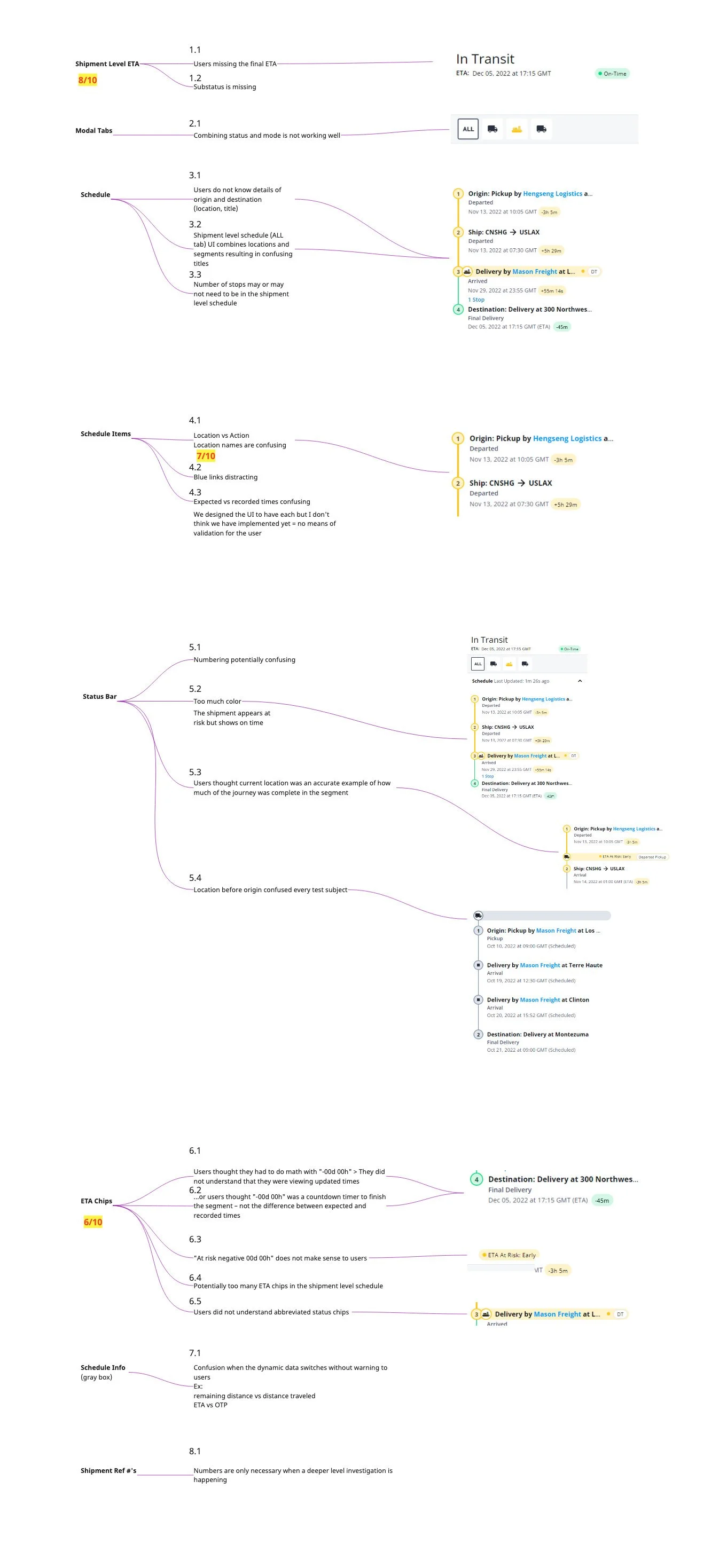
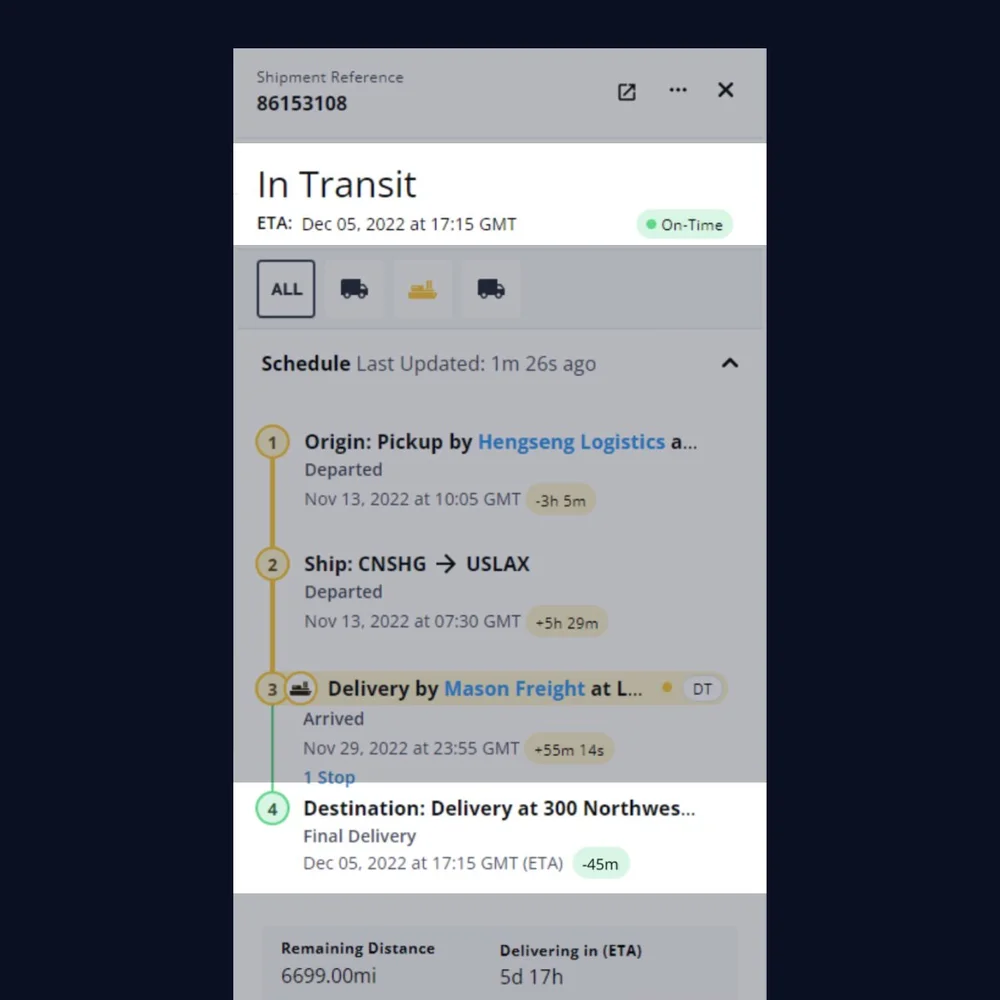
Shipment Schedule & Items
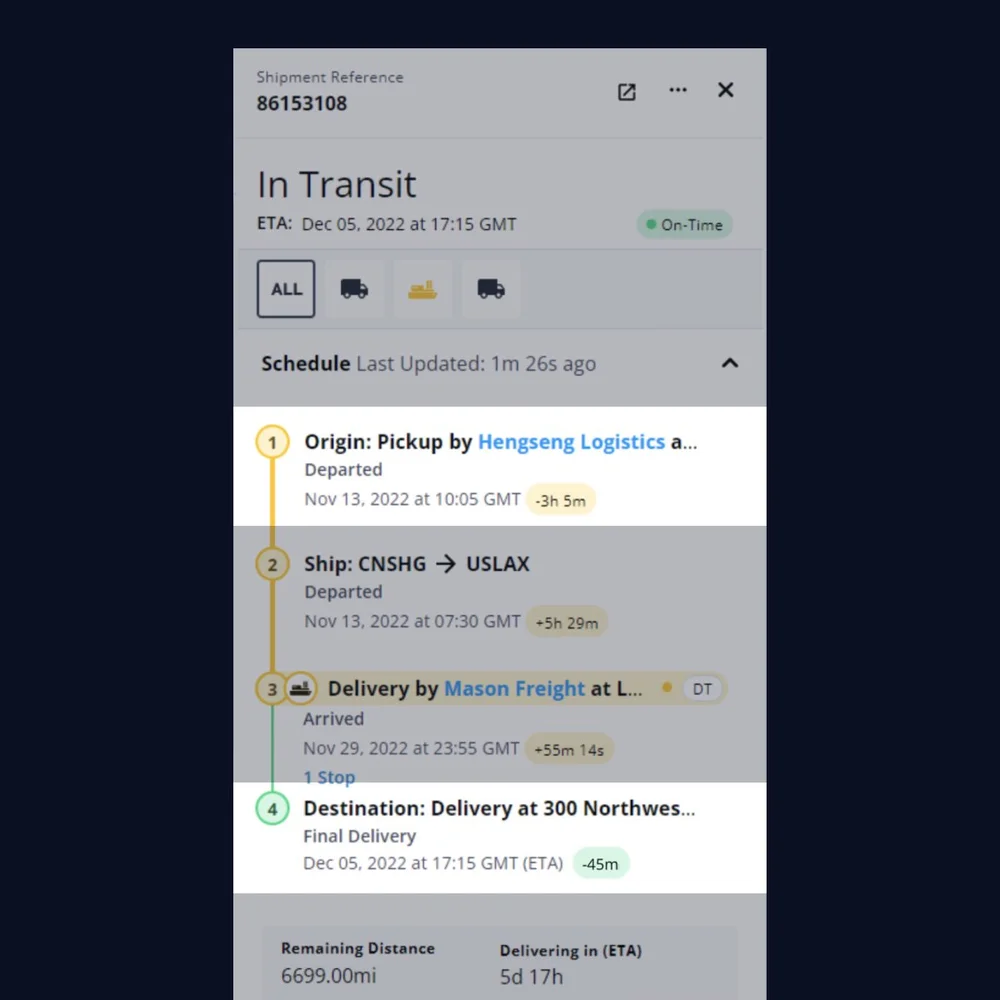
Origin + destination
Users can’t understand the basic makeup of a shipment from its schedule. While the users could describe detailed aspects of the shipment, they would become confused when asked about basic essentials.
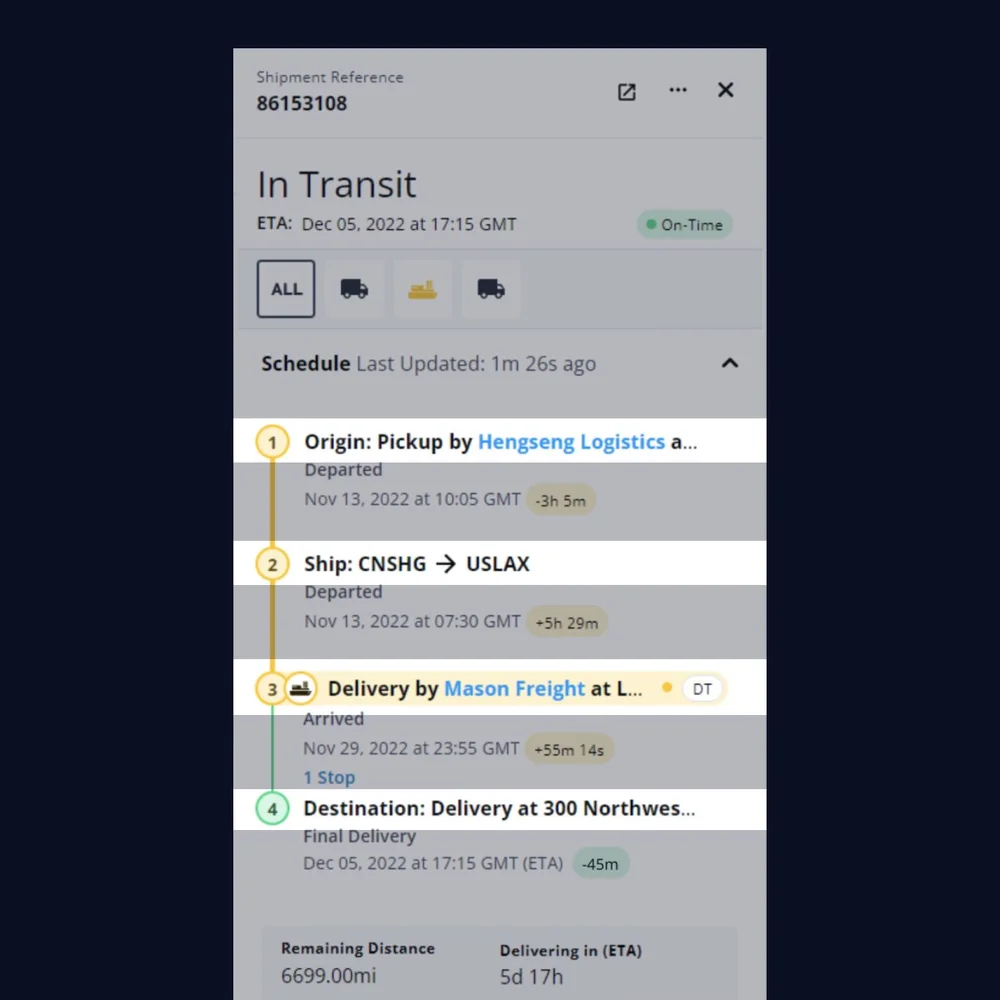
Location names
Locations and segments share the same UI/hierarchy, resulting in confusing naming structures. Titles and actions were in use interchangeably resulting in confusion.
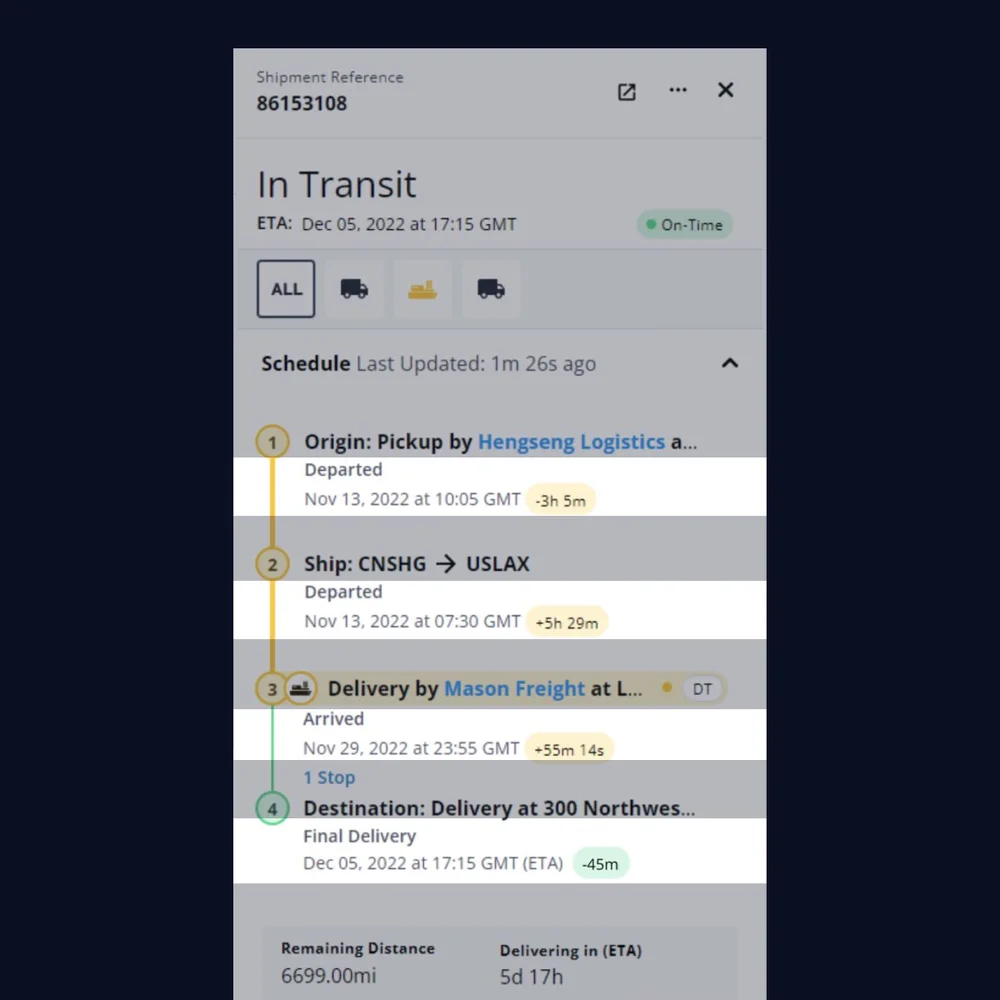
Agreed vs recorded times
Completed locations: users can't validate completed times against the plan for each location. Upcoming locations: users can't validate ETAs against the plan.
Status Bar
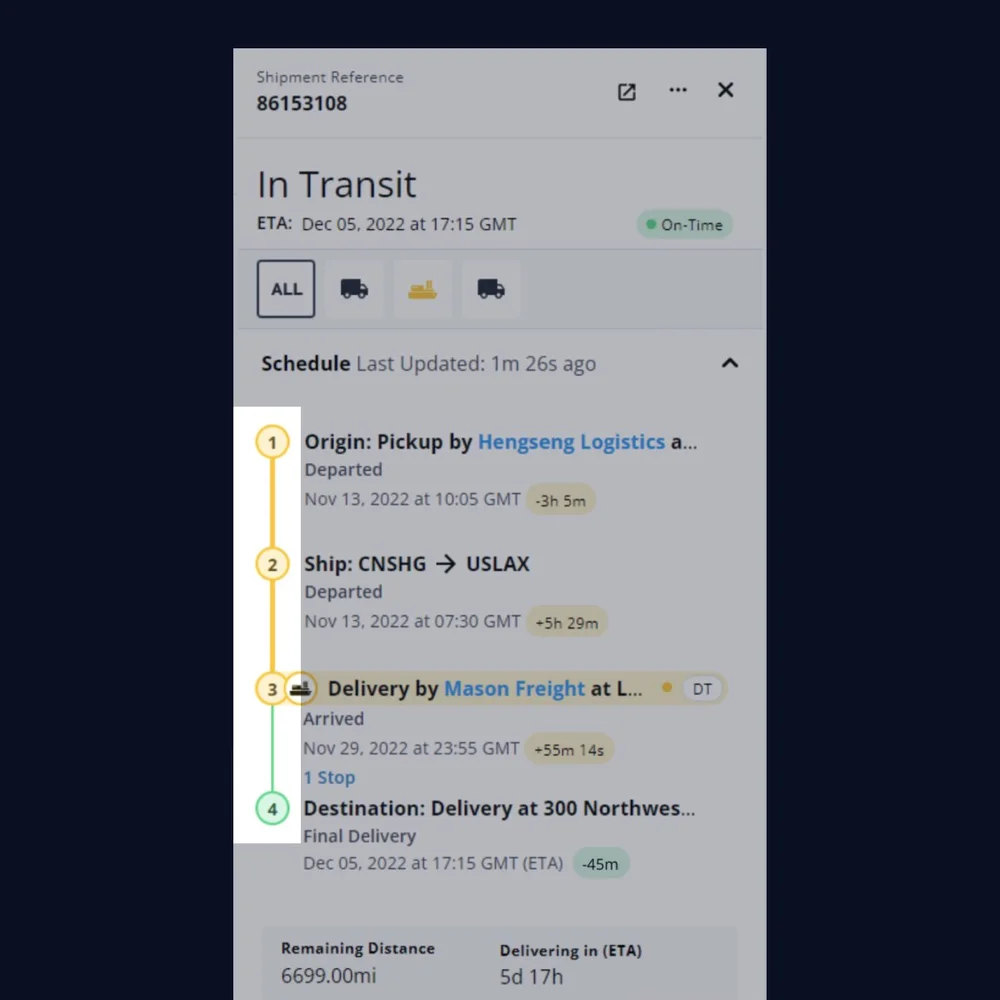
Numbering
This may be a result of mixing locations with segments. Some users thought that the journey should technically start at 0 or "origin".
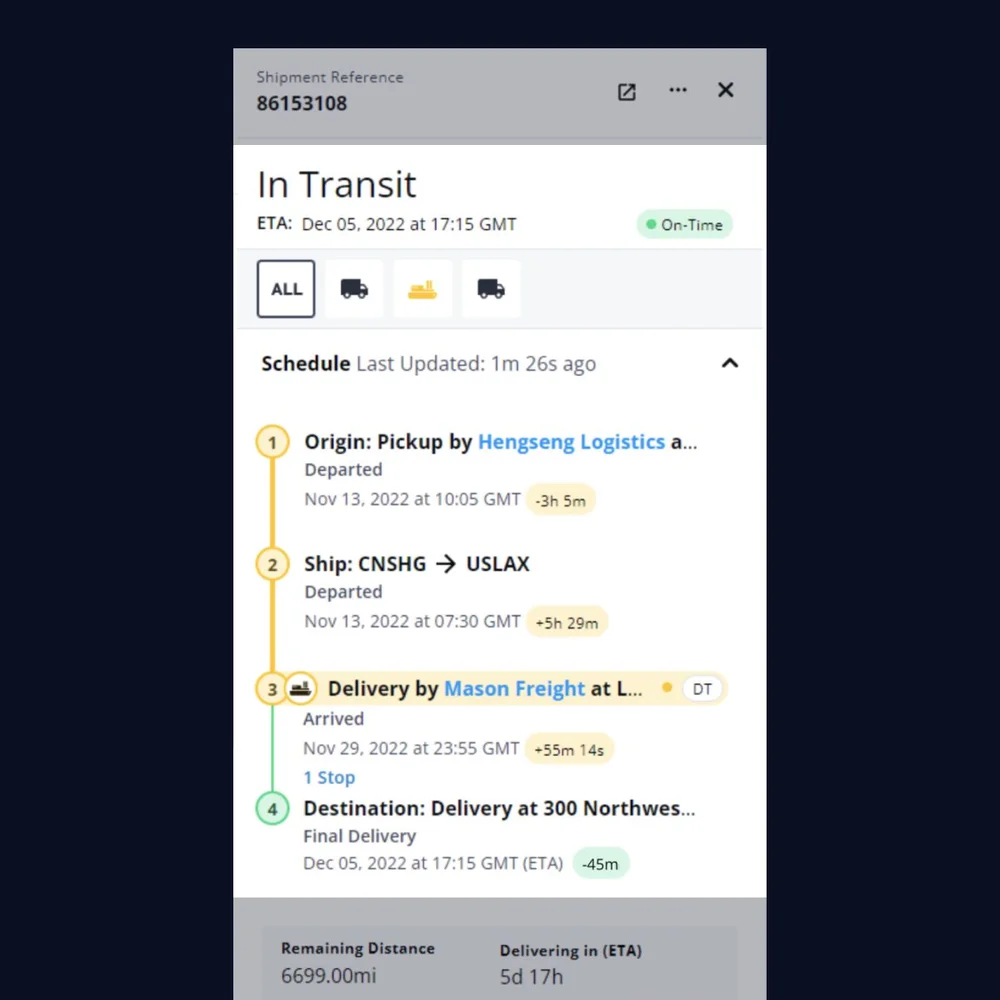
Color usage
The location is at risk in the timeline (yellow) but the shipment shows as on time (green), resulting in confusion. In short, when everything is color coded, it takes value away from the shipment’s status.
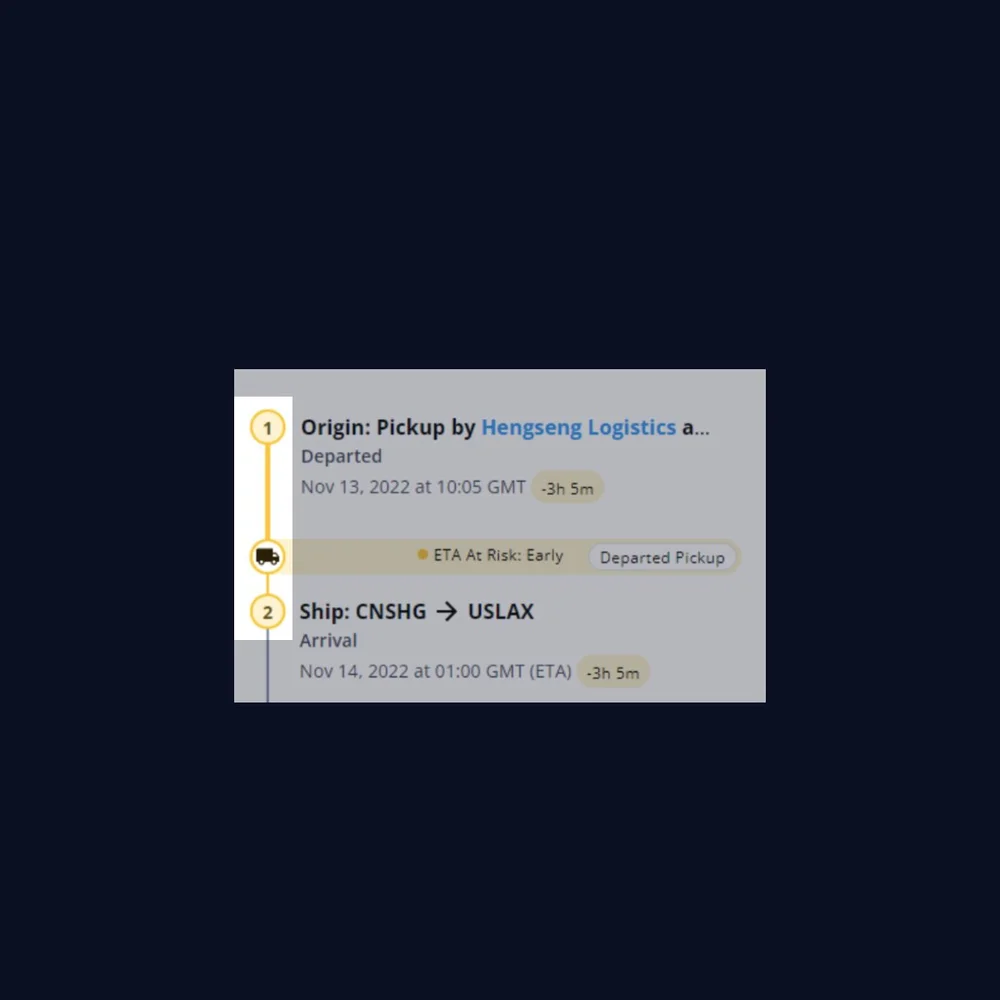
Progress
Some users thought the segment in the example was "80% finished" due to its placement. This means they thought the truck icon was accurately depicting an exact location.
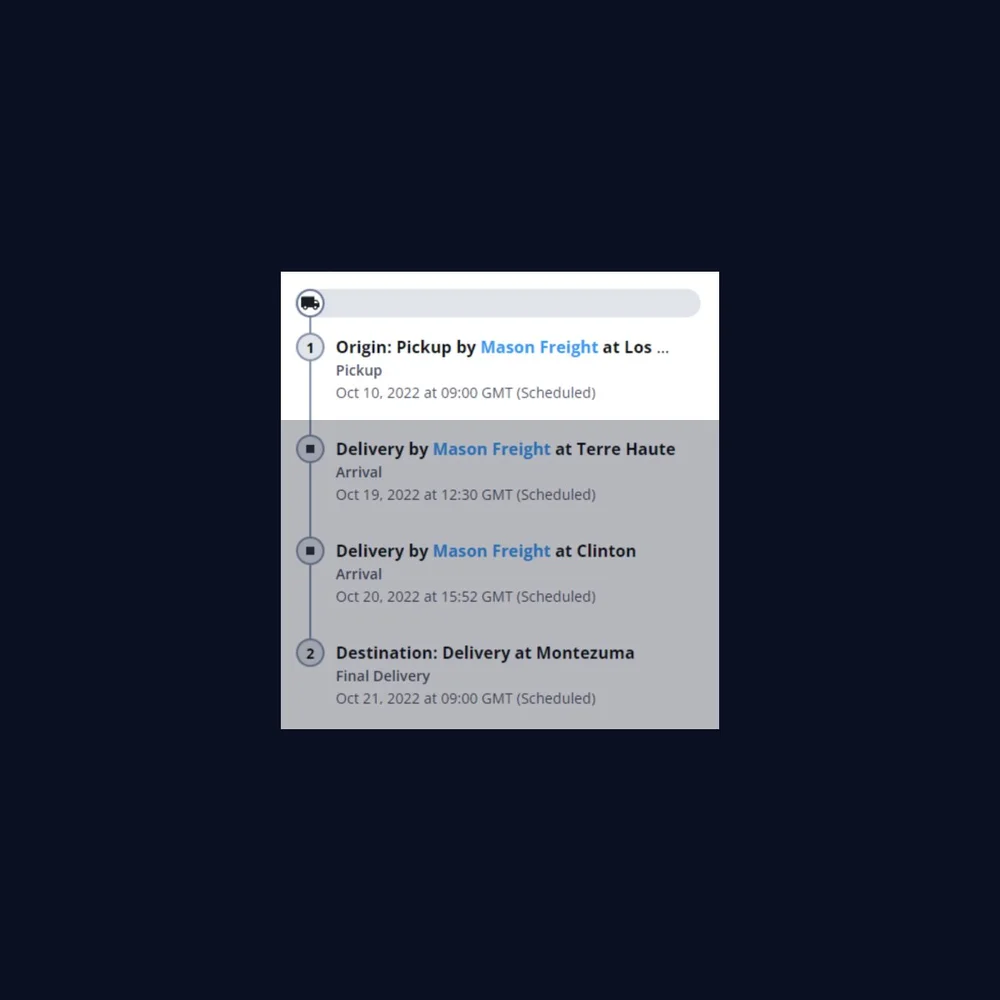
Origin confusion
Placing the location of the vehicle before the origin confused every single test user.
ETA Chips
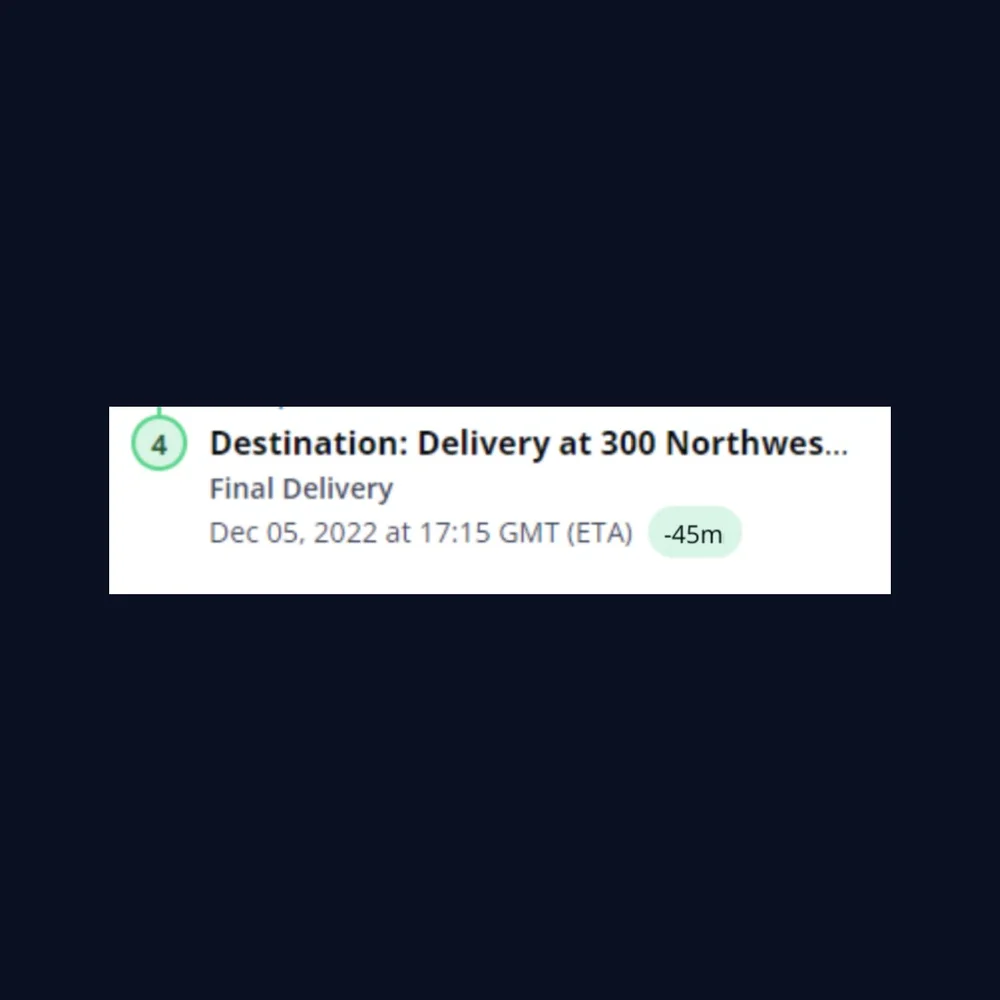
Comprehension
Users thought they had to do math with "-00d 00h" > They did not understand that they were viewing how early / late the shipment was tracking.
...or users thought "-00d 00h" was a countdown timer to finish the segment – not the difference between expected and recorded times.
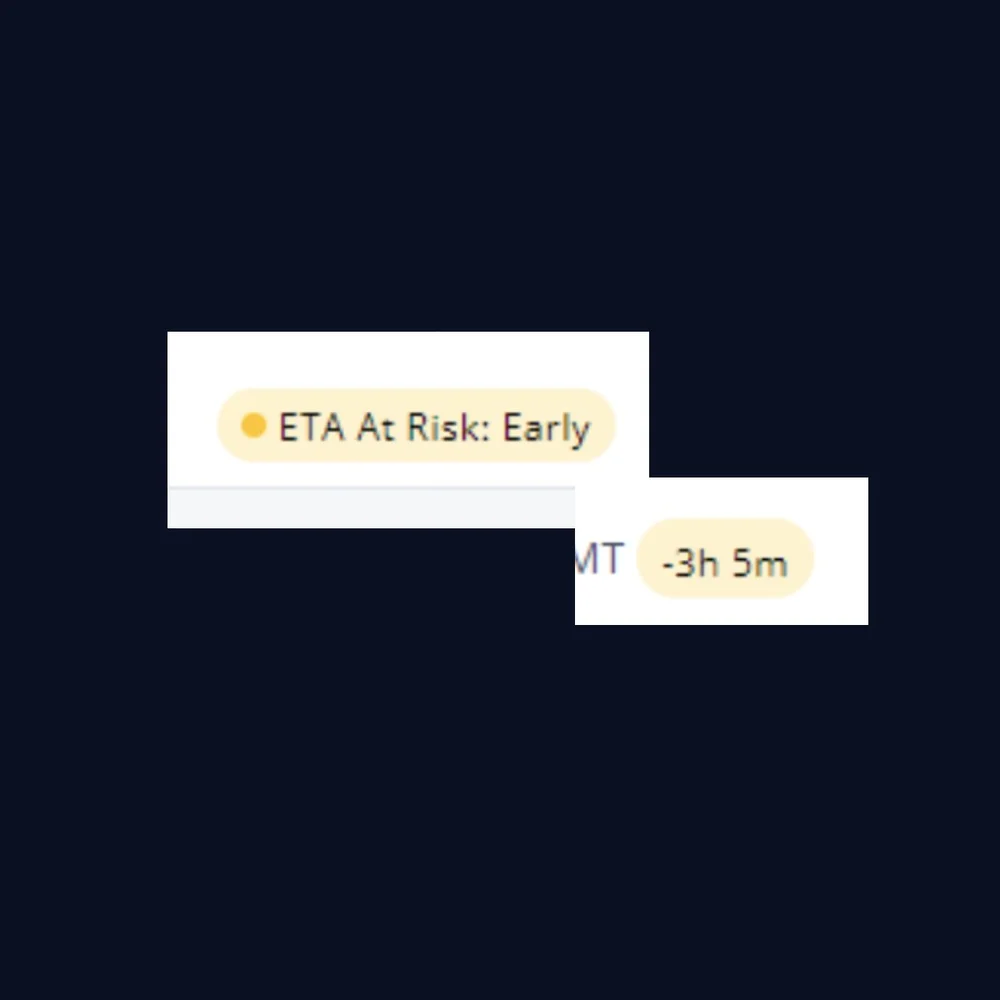
Language
Using + for late and - for early wasn't understood and should be put in plain english for users.

Abbreviations
No user could make sense of the abbreviated ETA and shipment status chips.
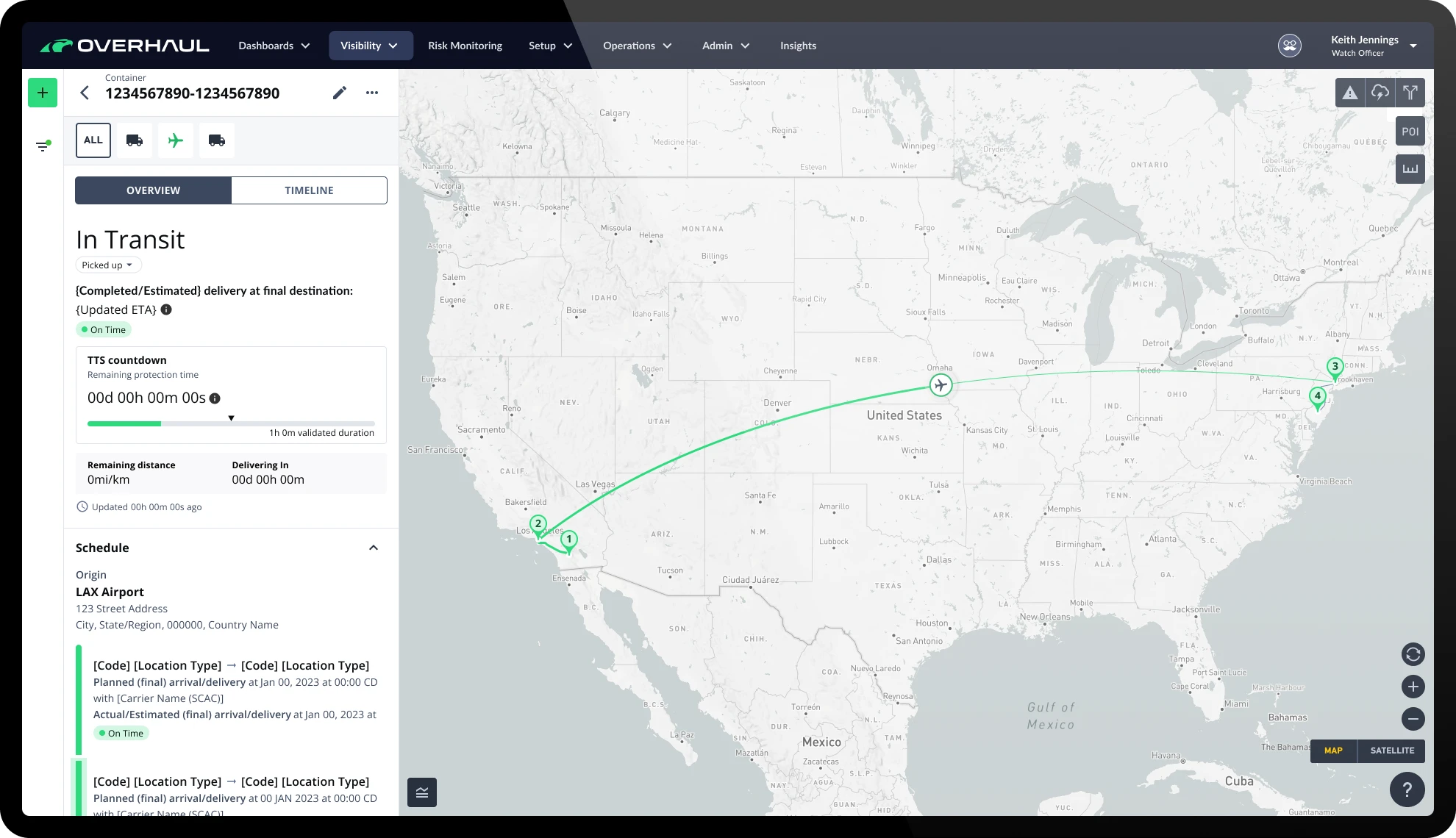
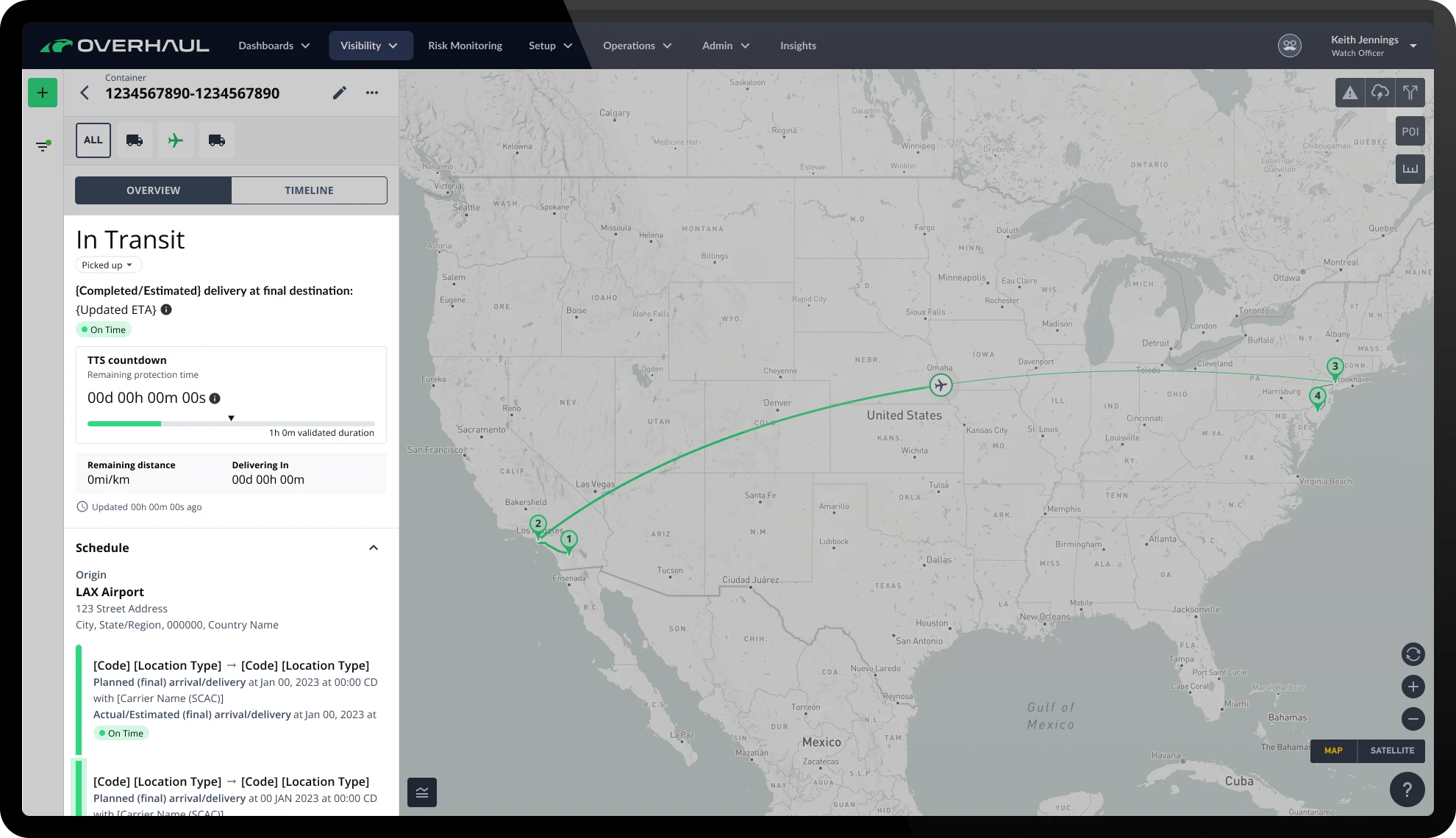
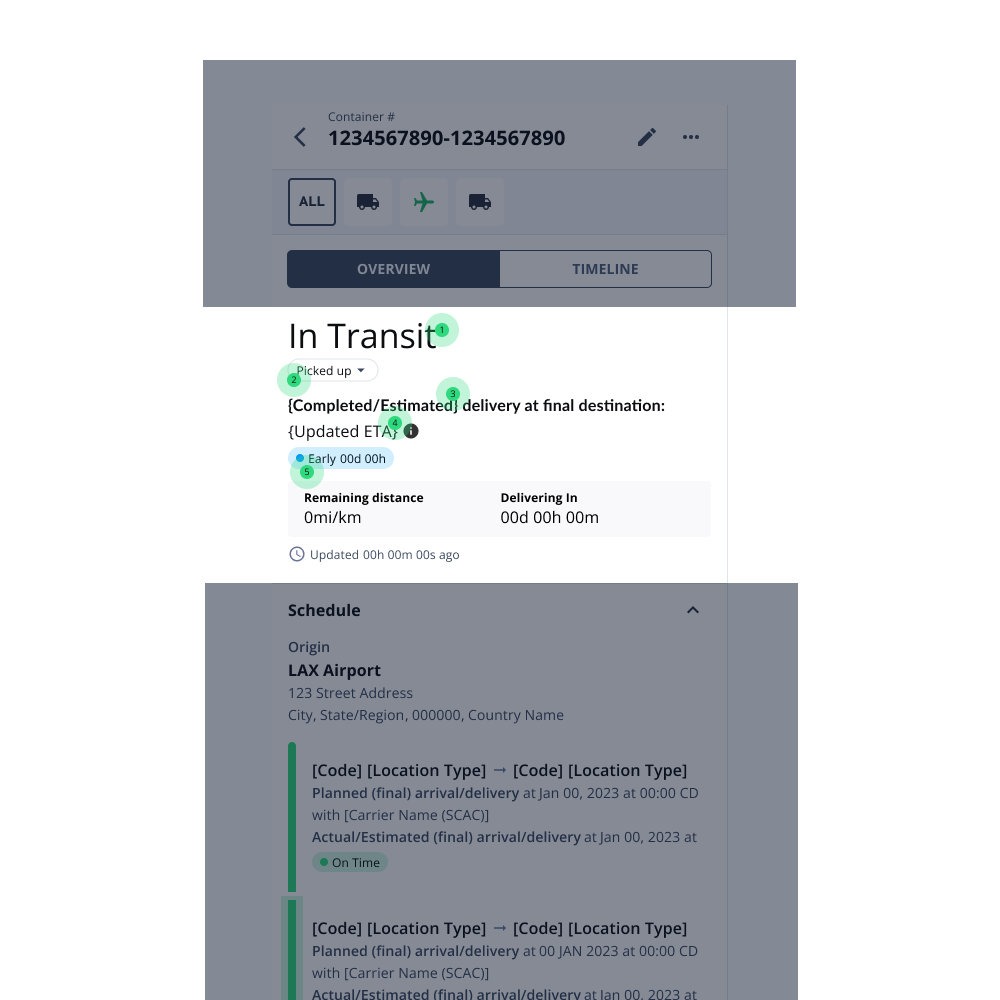
Shipment overview
Shipment status
Still first and foremost, users understood this piece of information.Status chip
Within every status is a series of sub-statuses that are more specific. Due to its inline placement, users understood this chip relates directly to shipment status and helps to validate. It can also be manually changed if the user has permissions to do so.Labeling
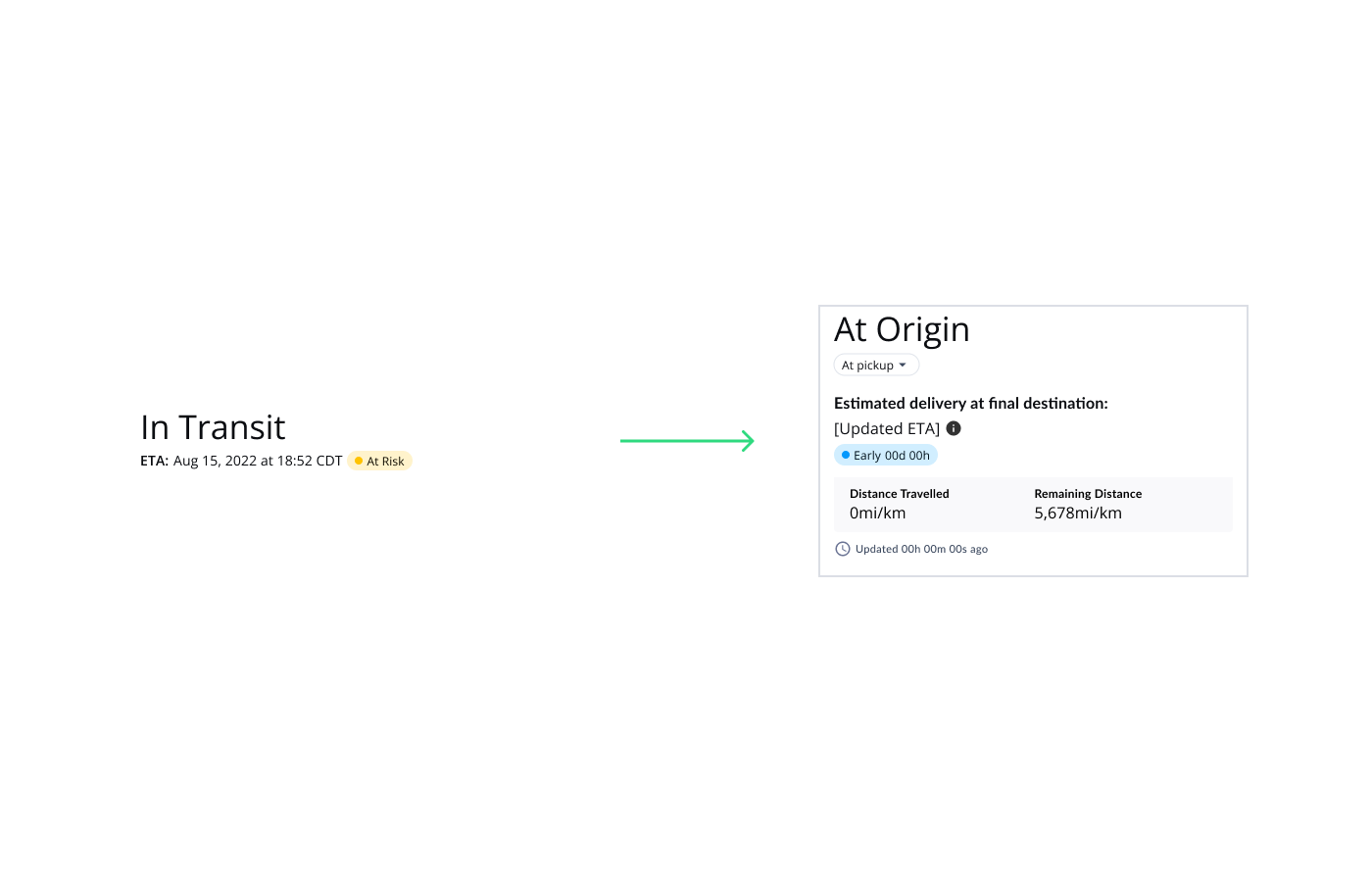
Users need to know what kind of ETA they’re referencing. Scheduled, estimated, planned, and recorded ETA’s are one of the most complex features in global shipping. This label changes depending on the shipment, shipment segments, and their corresponding status.ETA
Little is changing here, the time was well understood but it was often missed before. Now with the inline nature of the section and the large ETA label, users wouldn’t miss it.ETA chip
The chips were now in plain language. There is almost always a label (on time, early, late, etc.) with a time stamp following.
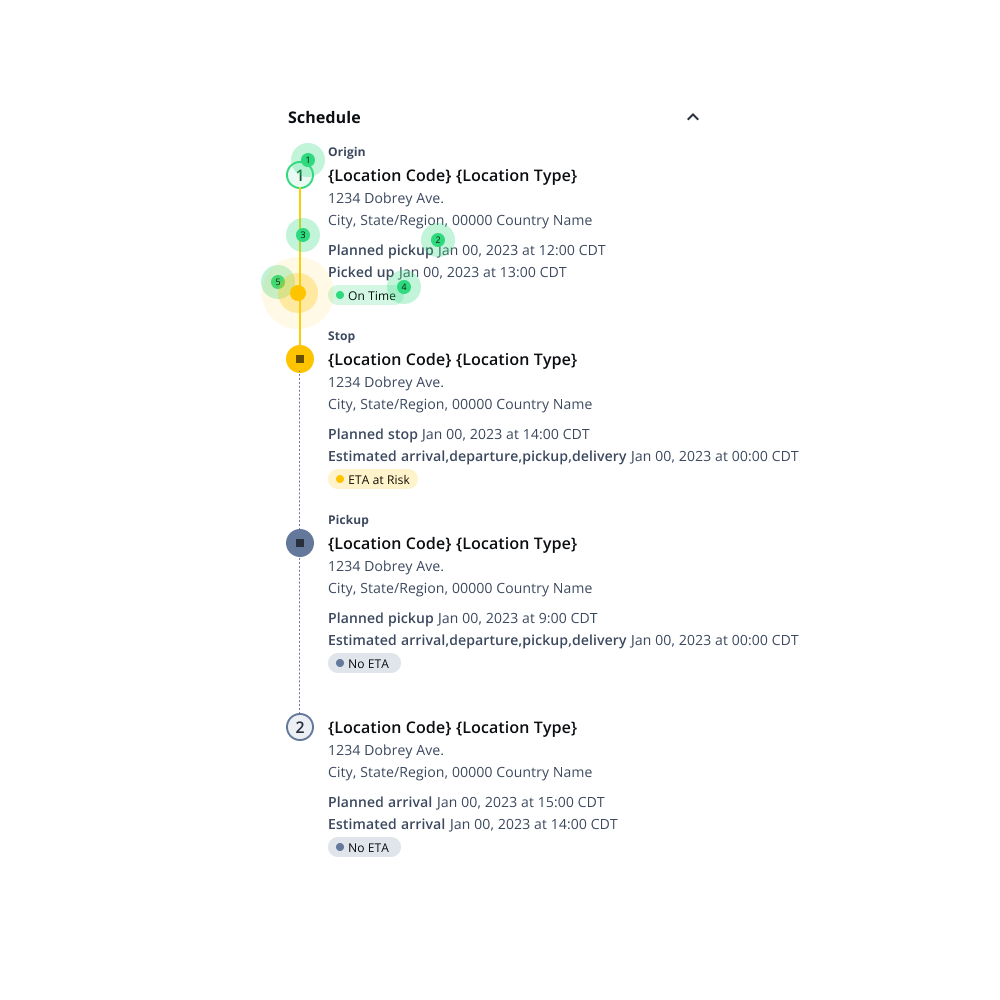
Shipment schedule
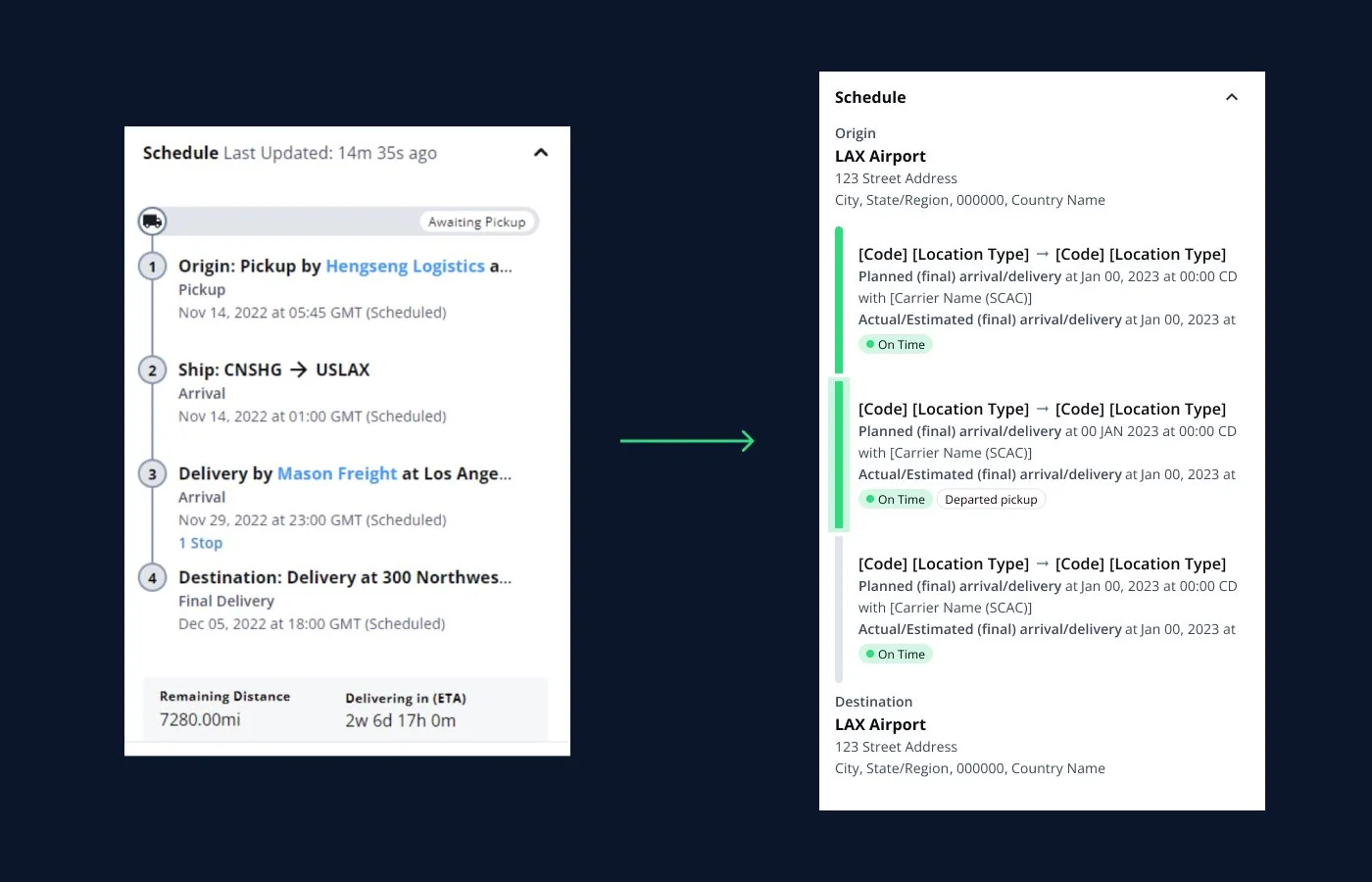
Origin and destination
Users had trouble understanding the basic of the shipment. We made sure the structure always made sense moving forward.Location titles
Harbors, ports, distribution centers, and airports all have unique codes and titles (internally and externally for each partner). We built out a framework so that this was more easily understood.
Accurate schedules
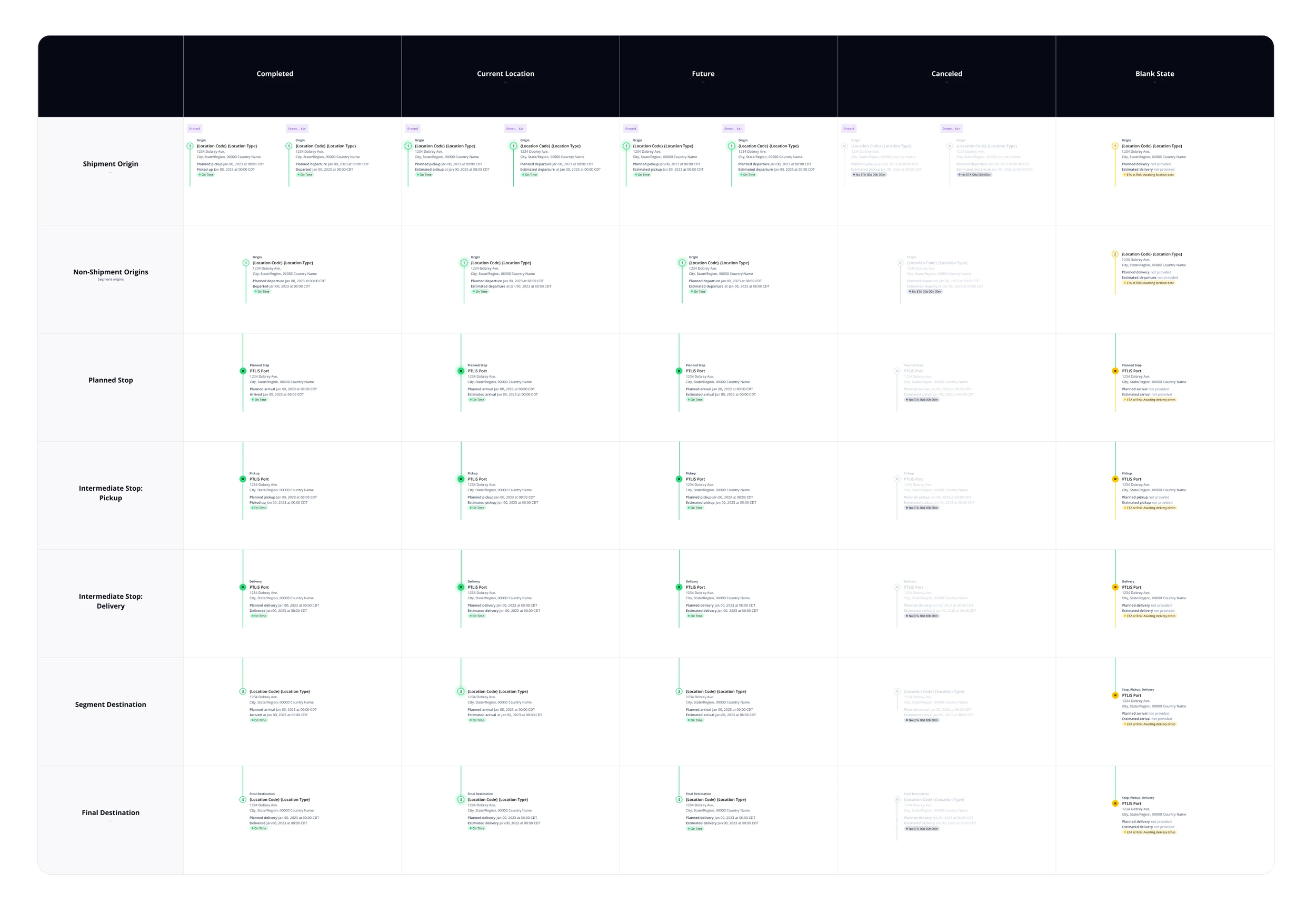
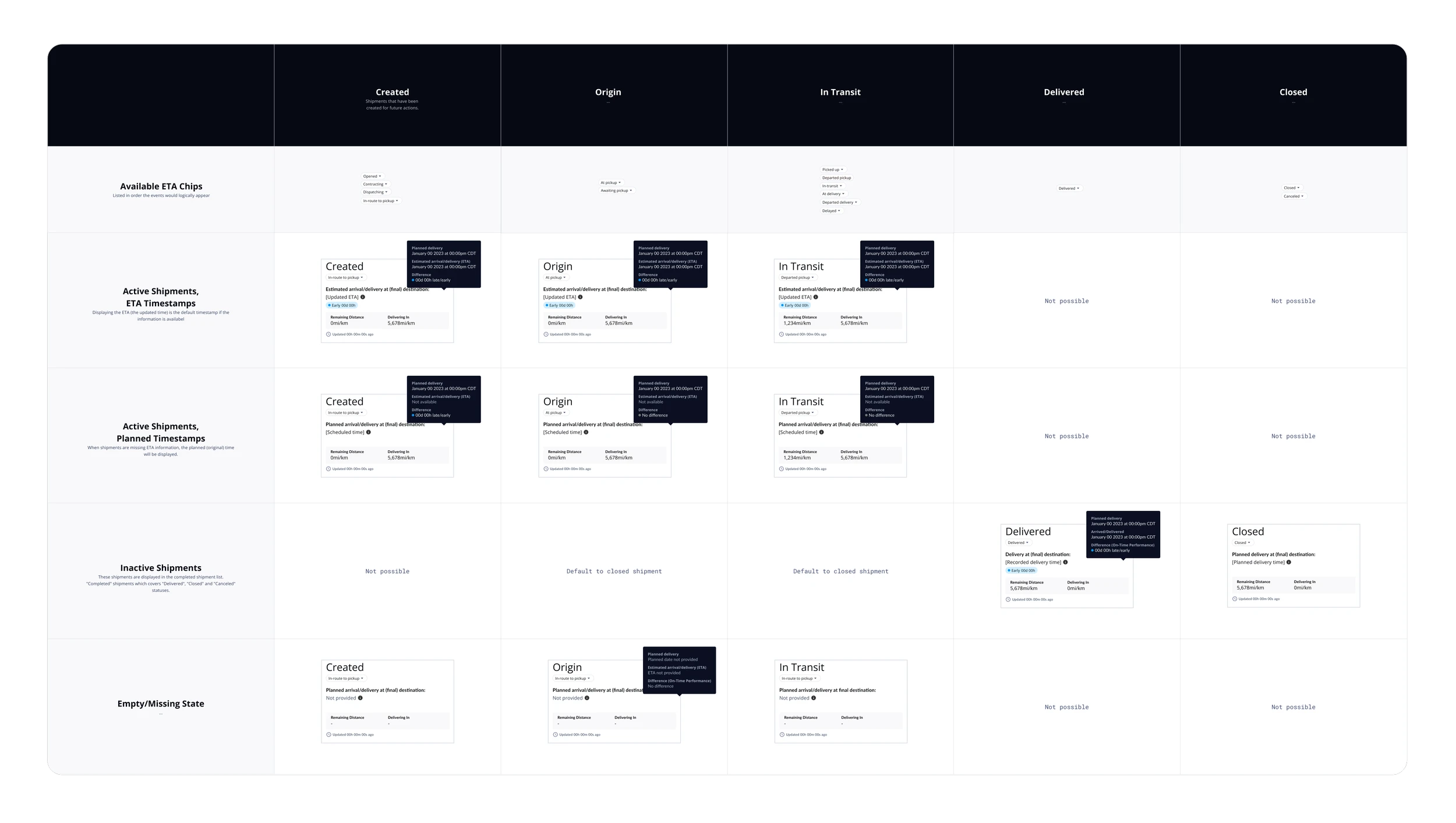
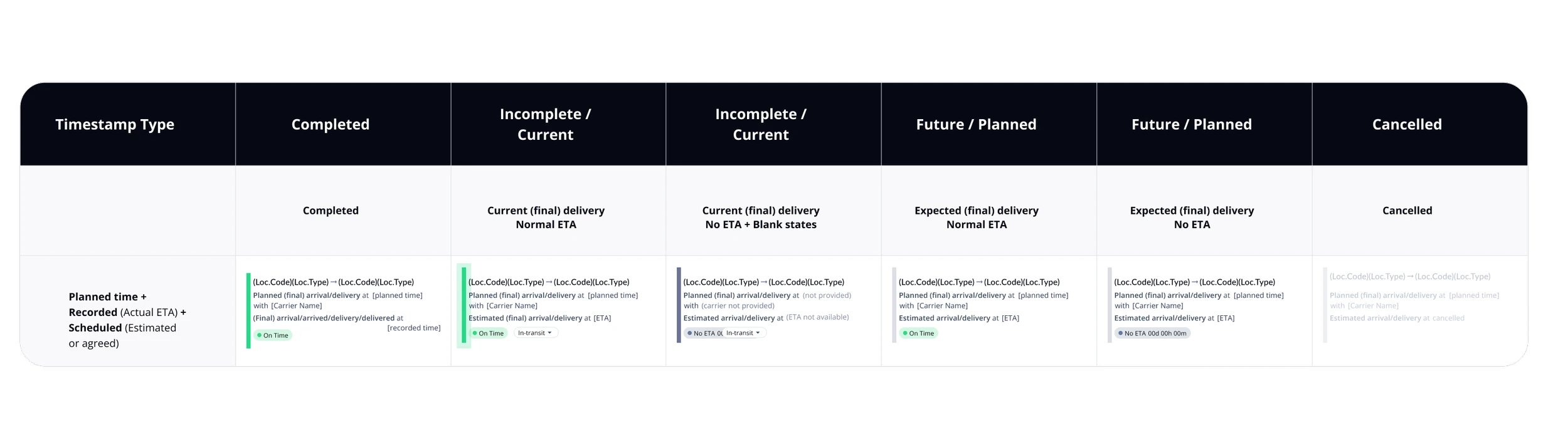
Each stop has about 4-6 timestamps associated with it (depending on where the shipment is in its lifecycle). This remains incredibly complicated for both professionals and new users alike. There are now a number of time descriptors that we logged into a larger matrix (below).
Segments
Shipment and segment schedules looked the same previously, creating an environment where they could be mixed up by the user. We made sure that the shipment level schedule was easier to understand at a glance and provided in-depth details at the segment level.Ease of use
We would also provide an ETA chip that would clearly display the label and timestamp in plain language.
Shipment schedule
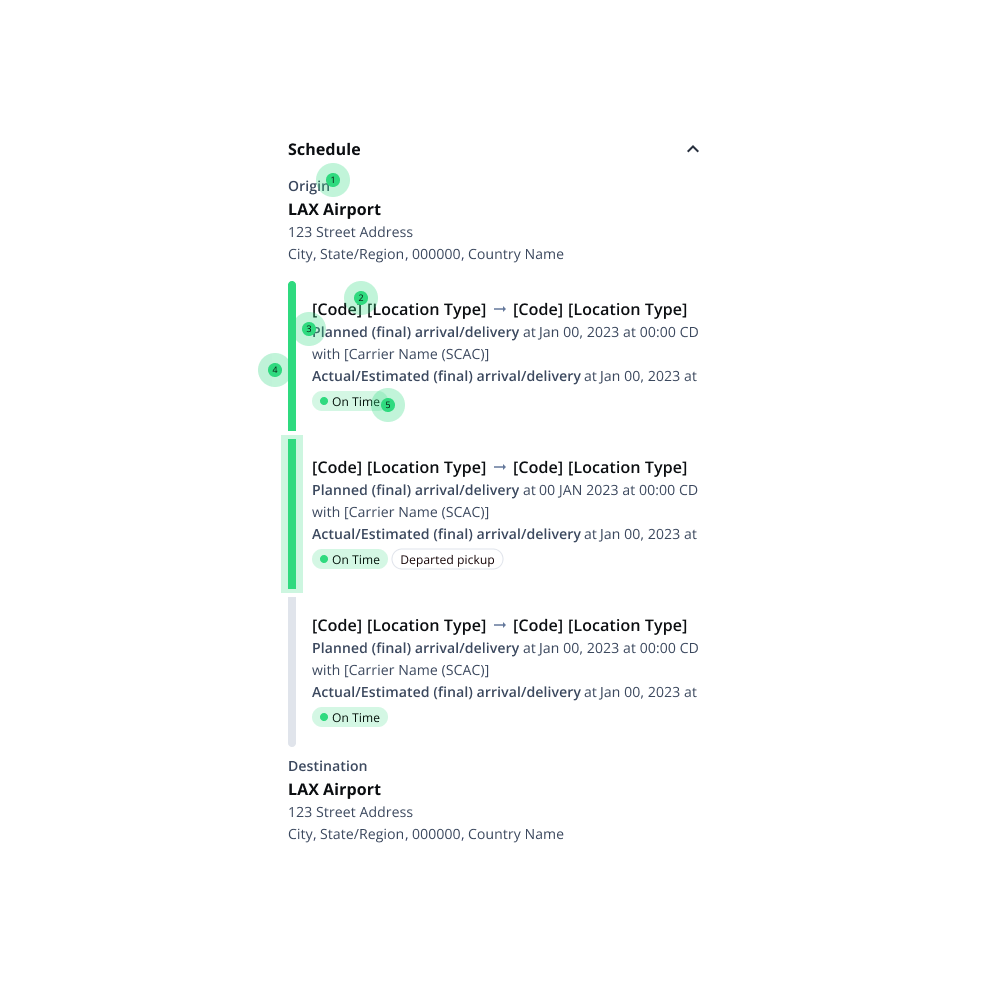
Origin and destination
Users had trouble understanding the basic of the shipment. We made sure the structure always made sense moving forward.Accurate schedules
Each stop has about 4-6 timestamps associated with it (depending on where the shipment is in its lifecycle). This remains incredibly complicated for both professionals and new users alike. There are now a number of time descriptors that we logged into a larger matrix (below).Locations and routes
While an ETA is associated with a location, we took it one step further and provided ETA alert colors to the routes between them. This way we could match up UI elements with the map.Ease of use
We would also provide an ETA chip that would clearly display the label and timestamp in plain language.Interactive elements
An exact location was still provided to enhance the experience.